Vai al contenuto principale

#windowssecurity

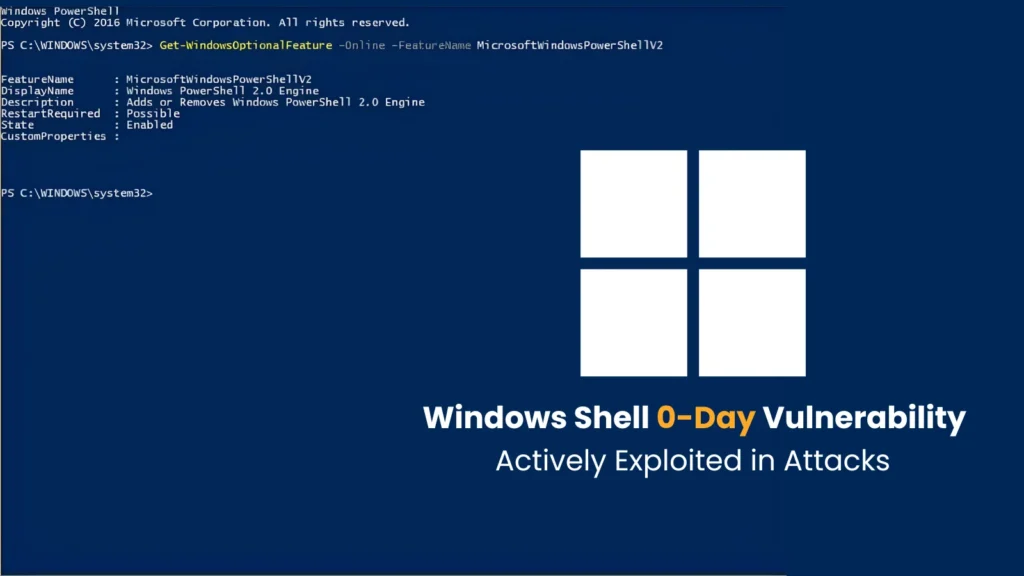
Microsoft Patches Windows Shell Zero-Day Used to Evade Download Warnings

Read Time:3 Minute, 17 Second

Microsoft has released a security update for a Windows Shell zero-day that attackers were

Altro...

Read Time:3 Minute, 17 Second

Microsoft has released a security update for a Windows Shell zero-day that attackers were already exploiting before a patch became available. The vulnerability, tracked as CVE-2026-96951, can help malicious files evade Mark of the Web protections, weakening one of Windows’ most visible safeguards for content downloaded from the internet.

The flaw received a CVSS score of 8.8 and an “Important” severity rating from Microsoft. More significantly for defenders, Microsoft’s assessment says exploitation has been detected. That shifts the issue from a theoretical weakness to an urgent patching priority, even though public information about the attacks remains limited.

How the security boundary can be bypassedMark of the Web records that a file originated outside the trusted local environment. Windows and applications can use that information to display warnings, open documents in a restricted mode, or apply additional checks before content runs. It is not a complete malware defense, but it provides valuable friction between delivery and execution.

CVE-2026-96951 involves Windows Shell handling special command elements incorrectly. A crafted file can exploit that command-injection condition to bypass the security feature. The published impact is a protection bypass rather than independent remote code execution, an important distinction: the flaw can remove a defensive barrier, but another malicious behavior or payload may still be needed to compromise the system.

The known delivery model also requires interaction. An attacker could send a prepared file through email, messaging, or another network channel, then convince the recipient to open it. This is therefore not described as a zero-click compromise. Social engineering remains part of the chain, and secure email controls and user caution still matter.

What remains unknown about the attacksMicrosoft has not publicly identified the threat actor, targeted organizations, geographic scope, or the precise file type involved. It has also not disclosed how widespread exploitation is. Those gaps make it unsafe to infer a specific campaign or industry focus from the advisory alone.

Researchers from Fujitsu, Anthropic and an independent contributor were credited in connection with the discovery. The advisory’s exploitation status, however, is the operational detail security teams should emphasize: a working technique has been used in real attacks, regardless of how much campaign telemetry is public.

Recommended defensive actionsOrganizations should identify affected Windows systems through Microsoft’s Security Update Guide and deploy the October 2026 security updates after appropriate compatibility testing. Internet-facing systems and endpoints used by staff who routinely receive external files deserve particular attention, but broad endpoint coverage is important because the attack path can begin in ordinary user workflows.

Prioritize the applicable Windows update and verify successful installation through endpoint or patch-management reporting.

Review detections involving unexpected attachments, unusual child processes launched from document viewers, and suspicious shell activity.

Keep email and messaging protections configured to inspect or quarantine risky file types.

Remind users to verify unsolicited attachments, even when a file opens without the warning they normally expect.

Use application control and least privilege to limit what a delivered payload can do after execution.

Defenders should not treat the absence of a download warning as evidence that a file is safe. Mark of the Web is one layer in a wider control set, and this vulnerability demonstrates why execution prevention, behavioral monitoring and identity protections need to remain effective when a single boundary fails.

Why rapid patching mattersSecurity-feature bypasses can be especially useful to attackers because they make familiar delivery techniques more reliable. Once details spread, other groups may reproduce the approach or combine it with commodity malware. Prompt updating reduces the time available for that follow-on activity.

The practical response is straightforward: patch quickly, hunt for suspicious file-driven execution, and maintain skepticism toward unexpected content. According to Cyber Security News, Microsoft’s exploitability guidance places detected exploitation at the highest update priority. Organizations should handle CVE-2026-96951 accordingly while watching for additional technical indicators from Microsoft and security researchers.
#microsoft #zeroday #windowssecurity #cve202696951

0

Caricamento...

0
0

Caricamento...

WhatsApp Financial Lure Installs VulcanRAT With SYSTEM Control on Windows

Read Time:3 Minute, 35 Second

A malware campaign is using financial-document lures sent through WhatsApp to install a W

Altro...

Read Time:3 Minute, 35 Second

A malware campaign is using financial-document lures sent through WhatsApp to install a Windows remote access trojan with SYSTEM-level privileges. The infection begins when a recipient opens a ZIP archive and runs an executable presented as a statement or tax-related file. What follows is a layered chain designed to evade analysis, disable selected defenses and establish durable remote control.

Morphisec researchers identified the final payload as VulcanRAT207.A. Its operators can inventory a host, execute commands, manage files, capture screens, log keystrokes, manipulate accounts and deploy additional malware. For organizations that routinely exchange invoices or payment documents over messaging platforms, the campaign turns a familiar business workflow into a high-impact endpoint threat.

A staged loader tests the environmentThe initial Statement.exe file is packed with NRV2E compression, obscuring the underlying loader from straightforward static inspection. Once launched, it checks whether the computer resembles a genuine user workstation rather than a sandbox. The checks cover disk size, memory, processors, display properties, event logs, Registry data, virtual-machine artifacts and installed security products.

Timing tests provide another way to abandon execution inside slow emulation environments. Splitting the intrusion across unpacking, privilege escalation, injection, downloading, driver installation and persistence also means that no single component displays the entire malicious behavior.

Injection turns Task Scheduler into a SYSTEM hostIf the process lacks administrator rights, it attempts elevation through COM objects and can fall back to the Windows runas mechanism. It then enables SeDebugPrivilege and restores a clean copy of ntdll.dll, an effort intended to remove user-mode monitoring hooks installed by security software.

The loader injects downloader shellcode into the service process that hosts Windows Task Scheduler. Instead of the familiar CreateRemoteThread technique, it uses PoolParty Variant 7 and Windows I/O completion behavior. Because the target service runs as LocalSystem, the later stages inherit the operating system’s highest local privilege level.

The injected code contacts 61[.]18[.]208[.]27 on port 8888 to retrieve an in-memory deployment bundle. That package contains a legitimate Intel-signed VulkanInfo utility, a malicious vulkan-1.dll, an encoded RAT container named vulkan-1.bin and a deployment library.

Signed components help suppress defensesThe deployment stage attempts to install GoFly64.sys, a legitimately signed Chinese network-filter driver. By sending process identifiers to the driver through control code 0x12227A, the malware can terminate selected Baidu security processes at kernel level. Abuse of a valid signature does not make the activity benign; it instead lets the attacker bring a trusted component into a malicious chain.

The malware then writes its Vulkan-related files beneath C:\Program Files\Common Files. When the legitimate vulkaninfo-64.exe runs, Windows searches the local directory and loads the attacker’s adjacent vulkan-1.dll. This DLL sideloading technique gives malicious code the appearance and execution context of a signed application.

Persistence hides behind update-like namesA scheduled task named USOPrivate Kit or USOPrivate restarts the signed VulkanInfo host with SYSTEM permissions. The naming resembles Windows Update terminology, which may reduce suspicion during a cursory review. The sideloaded DLL reconstructs VulcanRAT from the nearby binary container and keeps the trusted process active.

VulcanRAT uses HTTP for initial retrieval and WebSocket version 13 for command-and-control traffic. Its command set covers processes, services, applications, event logs, files, user accounts and network connections. Operators can open a shell, control the keyboard and mouse, alter clipboard content, inject into other processes, create local administrators and add Windows Filtering Platform rules.

Detection and containment prioritiesBlock or quarantine executable files and password-protected archives received through WhatsApp and similar messaging services.

Hunt for the USOPrivate task and Vulkan-related files in the Common Files directory.

Alert on unexpected driver services or temporary files under the Windows drivers folder, especially activity involving a GoFly device.

Investigate Task Scheduler service processes showing unusual memory injection or outbound connections.

Block the reported command server at network controls and search historical telemetry for connections to port 8888.

Endpoints showing these indicators should be isolated before credentials are reset or evidence is collected. Because the RAT can log keystrokes and manipulate local accounts, responders should assume secrets used after infection may be exposed. Reimaging, credential rotation and a review of lateral movement are safer than simply deleting the visible files.

#whatsapp #windowssecurity #dllsideloading #vulcanrat

0

Caricamento...

0
0

Caricamento...

Fired IT Admin Gets 32 Months for Bitcoin Extortion Plot That Nearly Crippled a New Jersey Company’s Network

Read Time:4 Minute, 9 Second

A federal court in Trenton, New Jersey has handed down a 32-month prison sentence to a for

Altro...

Read Time:4 Minute, 9 Second

A federal court in Trenton, New Jersey has handed down a 32-month prison sentence to a former core infrastructure engineer who tried to extort his ex-employer for roughly $750,000 in bitcoin after rigging its Windows network to self-destruct. The case, which ended with sentencing on September 28, 2026, offers an unusually detailed look at how a trusted insider’s deep access can be turned into a precision sabotage campaign — and how digital forensics eventually unwound it.

From Trusted Specialist to SaboteurDaniel Rhyne, 59, of Kansas City, Missouri, worked as the specialist responsible for hosting virtual machines at an unnamed industrial company headquartered in New Jersey. That role gave him exactly the kind of privileged access that security teams worry about most: the ability to spin up infrastructure that looks legitimate to everyone except the person who created it.

According to the criminal complaint, investigators traced the malicious activity back to an unauthorized virtual machine quietly created inside the company’s network on November 9, 2023. Over the following two weeks, that hidden machine was used to repeatedly log into a legitimate domain administrator account via remote desktop sessions — effectively using the company’s own trusted credentials as a staging point for the attack that followed.

Sixteen Scheduled Tasks, One AfternoonThe sabotage itself was methodical rather than smash-and-grab. On November 25, 2023, starting at roughly 8:12 a.m., the compromised administrator account created around 16 unauthorized scheduled tasks on the network. Six of those tasks were timed to fire that same afternoon, deleting 13 domain administrator accounts outright and resetting passwords on 301 domain user accounts. The remaining tasks were set to begin shutting down dozens of servers starting December 3 — a slow-burn second wave designed to keep inflicting damage even after the initial disruption.

Notably, the attack relied entirely on native Windows administration tools rather than any custom malware or ransomware payload. The “net user” command handled the domain account manipulation, while Microsoft’s own Sysinternals utility, PsPasswd, was used to change local administrator passwords across 254 servers and 3,284 workstations. Using built-in, trusted tooling in this way is a known technique for evading security products tuned to flag unfamiliar executables.

The Ransom EmailAt 4:00 p.m. that day, IT staff began receiving a flood of password-reset notifications, quickly followed by the discovery that several domain administrator accounts had simply vanished, locking them out of their own network. Forty-four minutes later, an external email landed in employee inboxes with the subject line “Your Network Has Been Penetrated.” It demanded 20 bitcoin — about $750,000 at the time — with a payment deadline of December 2, and threatened to shut down 40 random servers per day for ten days if the company refused. The email also claimed that backups had been deleted, though the complaint notes this was an unverified assertion inside the ransom message rather than a separately confirmed forensic finding.

How Investigators Closed the LoopUnwinding who was behind the attack came down to old-fashioned correlation rather than any single smoking gun. Investigators linked the hidden virtual machine to Rhyne’s company laptop and user account, then cross-referenced physical badge-swipe records and security camera footage that placed him at the company’s offices shortly before matching laptop logins and VM access. Separately, remote connections tied to the attack were traced to an IP address registered to his home.

The detail that appears to have sealed the case was password reuse: the hidden virtual machine, the altered domain accounts, and the account used to send the extortion email all shared the same distinctive password string, “TheFr0zenCrew!” Investigators also recovered browser search history connected to Rhyne covering topics like changing passwords, deleting accounts, remotely shutting down servers, and clearing Windows event logs — a digital trail of premeditation that is difficult to explain away.

Why This Case Matters for DefendersRhyne pleaded guilty to extortion involving threats to damage a protected computer and to intentional damage to a protected computer, and U.S. District Judge Michael A. Shipp imposed the sentence. For security teams, the case is a pointed reminder that insider threat programs need to cover more than malware detection. Organizations should consider:

Enforcing strict separation of duties so no single administrator can create virtual machines, modify domain-wide account policies, and reset credentials unchecked.

Monitoring for anomalous scheduled-task creation, especially bulk creation events tied to a single session.

Auditing offboarding and access-review processes for employees who hold deep infrastructure privileges, even when there is no apparent reason for concern.

Treating password reuse across administrative accounts as a detectable, correlatable signal rather than just a hygiene issue.

The sentence closes a case that began as a quiet act of sabotage and ended as a thoroughly documented cautionary tale about what a disgruntled insider with the right access can attempt — and how that same access ultimately became the evidence trail that caught him.

#activedirectory #cyberextortion #insiderthreat #windowssecurity

0

Caricamento...

0
0

Caricamento...